PSA Appointment Errors: Causes, Problems, and Step-by-Step Fixes (Updated Guide)
Booking a PSA appointment online is supposed to be simple—but many Filipinos experience errors, failed payments, missing QR codes, or unavailable slots. If you’re facing any PSA appointment problem, this guide explains why it happens and exactly how to fix it.
This article covers all common PSA appointment errors, their causes, and proven solutions so you can successfully complete your request without stress.
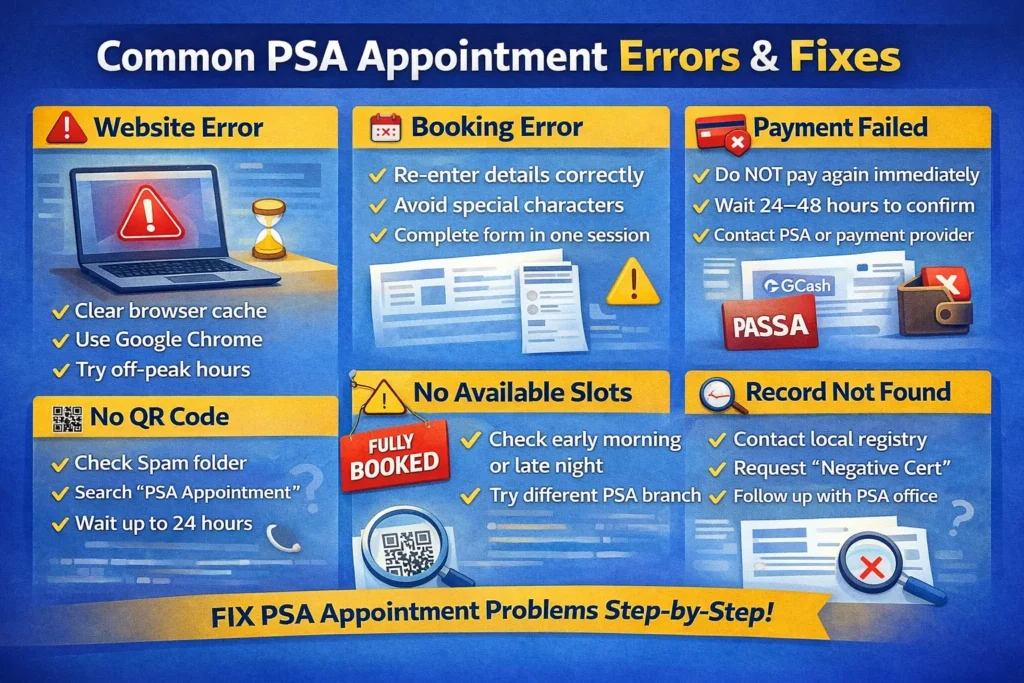
What Is a PSA Appointment Error?
A PSA appointment error happens when the online booking process fails or does not proceed as expected. This may occur during:
Most PSA errors are system-related or user-input related and can be fixed easily if you know the correct steps.
Common PSA Appointment Errors and How to Fix Them
Below are the most reported PSA appointment problems with detailed solutions.
PSA Appointment Website Not Working
Common Error Messages:
Why This Happens
How to Fix It
✅ Tip: Avoid booking during weekends and payday periods.
Cannot Book PSA Appointment / Booking Failed
Possible Causes
Solution
PSA Appointment QR Code Not Received
This is one of the most searched PSA problems.
Reasons
What to Do
⚠️ Without a QR code, PSA staff may not allow entry.
PSA Payment Failed or Payment Deducted but No Confirmation
Common Scenarios
Why It Happens
Step-by-Step Fix
✅ PSA usually resolves verified payment issues.
PSA Appointment No Available Slots
Why Slots Are Always Full
How to Get a Slot
📌 Some PSA offices release new slots weekly.
PSA Record Not Found Error
What This Means
PSA cannot locate your record in their national database.
Possible Causes
What You Should Do
⚠️ This is common for old or late-registered records.
Missed or Expired PSA Appointment
Common Questions
Answer
Best Practice
Always arrive 30 minutes early and bring:
Wrong Details Entered in PSA Appointment
Examples
Can You Edit It?
❌ No direct edit option once submitted
Solution
- Cancel the appointment (if allowed)
- Rebook with correct information
- Ensure details match PSA records exactly
How to Avoid PSA Appointment Errors (Best Practices)
You can also read how to fix PSA Corrections in PSA Documents.
Frequently Asked Questions (FAQs)
Is walk-in allowed if online appointment fails?
Some PSA offices allow walk-ins, but online appointment is strongly recommended.
How long does PSA confirmation take?
Usually within minutes, but payment-related confirmations may take up to 48 hours.
Can someone else attend my appointment?
Yes, with a valid authorization letter and IDs.
Final Thoughts
PSA appointment errors are common but fixable. Most issues are caused by system traffic, payment delays, or minor input mistakes. By following the steps in this guide, you can resolve almost any PSA appointment problem without rebooking multiple times.